
Overview
An organization might be deleted in error. The steps below describe how to undelete an organization.
Before You Begin
Log into PRM Admin with adminTask Level 1 rights or greater.
How to Undelete an Organization
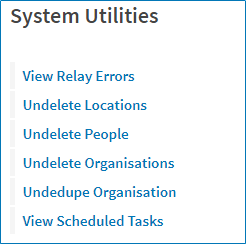
- Navigate to Administration > System Utilities.
- Select Undelete Organization.
- Enter the Organization ID of the company you wish to undelete.
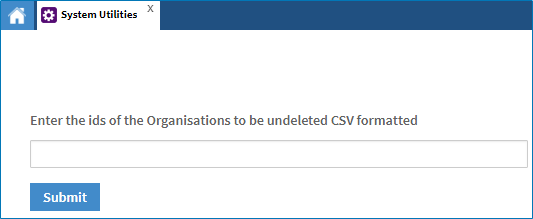
- Click Submit.
Comments
0 comments
Please sign in to leave a comment.