
Overview
Use this procedure to add a new Activity Scoring Scheme.
By default, all Schemes are set to active. Schemes cannot be deleted; if they are no longer required, they should be set to inactive.
Before You Begin
Log into PRM Admin with scoreTask Level 2 rights or greater.
How to add a Scheme
- Navigate to .
- Click Add.
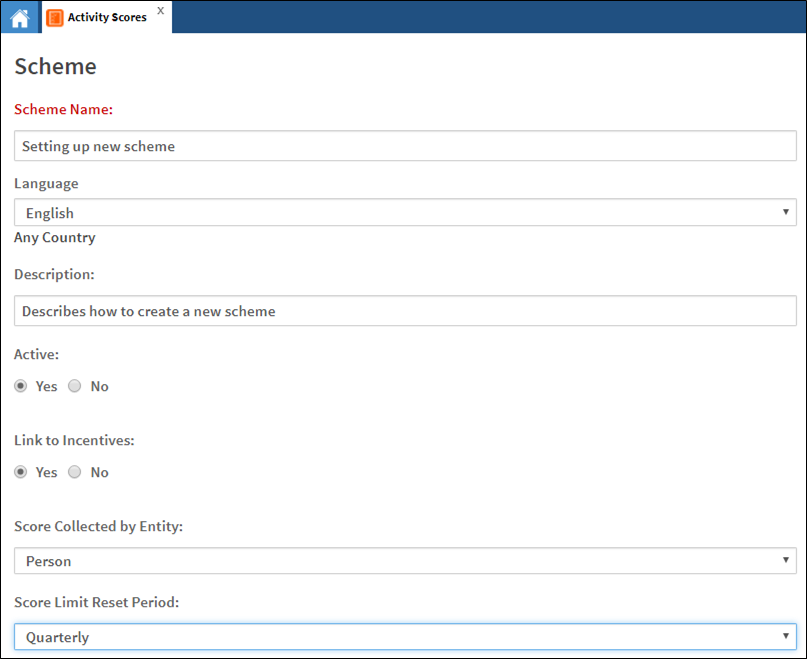
- Provide a user friendly Scheme Name and a Description.
- [Optional] Set the Scheme to active (
Yes) or inactive (No). - Specify the Scheme score collection level from the drop down menu. The options are Person, Location, or Organization. This setting cannot be changed later.
- Select the reset frequency for the scheme to restart (as long as it is active). This will reset all the scores for all the scheme participants to zero. This setting cannot be changed later.
- Create the Rules for this Scheme.
- Click Save.
Comments
0 comments
Please sign in to leave a comment.