
Our release notes offer brief, high-level descriptions of enhancements and new features.
Contents
- New Weekly Updates and AWS Hosting
- Cleaner Easier Portal Design and Styling
- Guide Partners to Your Best Content with RELAY_GRID_LINKS
- Display PRM Records of Choice with RELAY_ENTITYLIST
- Upload Multiple Attachments within Data Entry Screens
- New Bulk Upload Capability for Media Library
- Sales Pack Opportunity Management - Automated Processing of Subscription Renewals
- Integrate Directly to Remote Applications, Using Webhooks
New Weekly Updates and AWS Hosting
Zift is transitioning our software development and release cycles to a weekly update cadence. We are also introducing a new hosting environment, Amazon Web Services (AWS), which brings many advantages:
- Confidence that your vital partner portal and PRM data are hosted on the industry-leading SaaS hosting service, providing performance, scalability, and security for your application.
- Access to all Zift software offerings including integrated CHaaS Marketing capabilities.
- New features arrive faster and improve faster with weekly updates.
- No downtime required for weekly updates to be applied.
- Automated testing of each update on your environment before deployment.
- Updates and hotfix processes require little to no management by your team.
- Partners auto-approved with business email
This transition will be a two-stage process. First, the Zift team will update your application to this release. Then, on an agreed date, the migration to AWS will take place. There will be minimal downtime, and our team will consult fully with you on changes such as the re-direction of your portal URLs to the new hosting center. Your Zift Customer Success manager will contact you shortly to discuss your update and migration plan.
Cleaner Easier Portal Design and Styling
We know how important it is for partner portals to reflect your brand identity, and provide a clear, compelling partner experience. In this update, we've made it even easier for you to apply your brand identity to your portal, by just entering a few choices and adding your logo.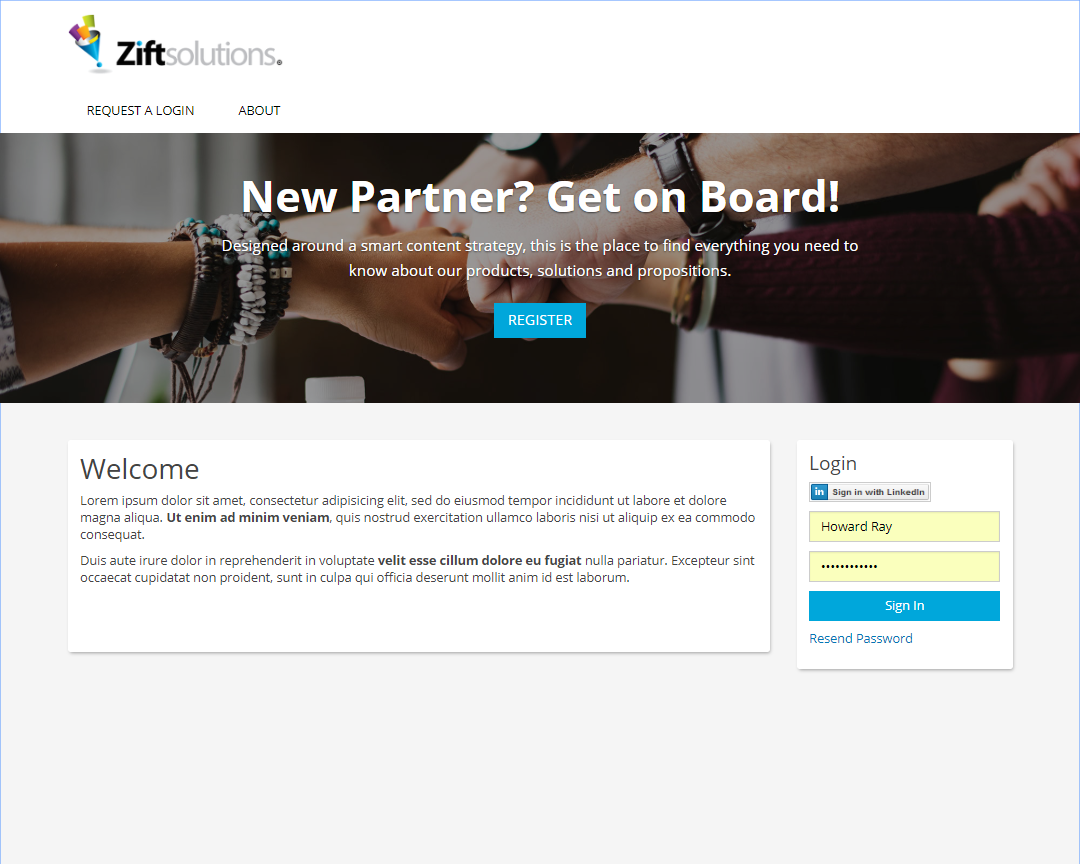
Our Portal Styling tool is quick and easy to use so that your personally branded portal can be up and running instantly. Administrators can view and edit Portal Styling Options at Configure > Administration > Settings > Portal.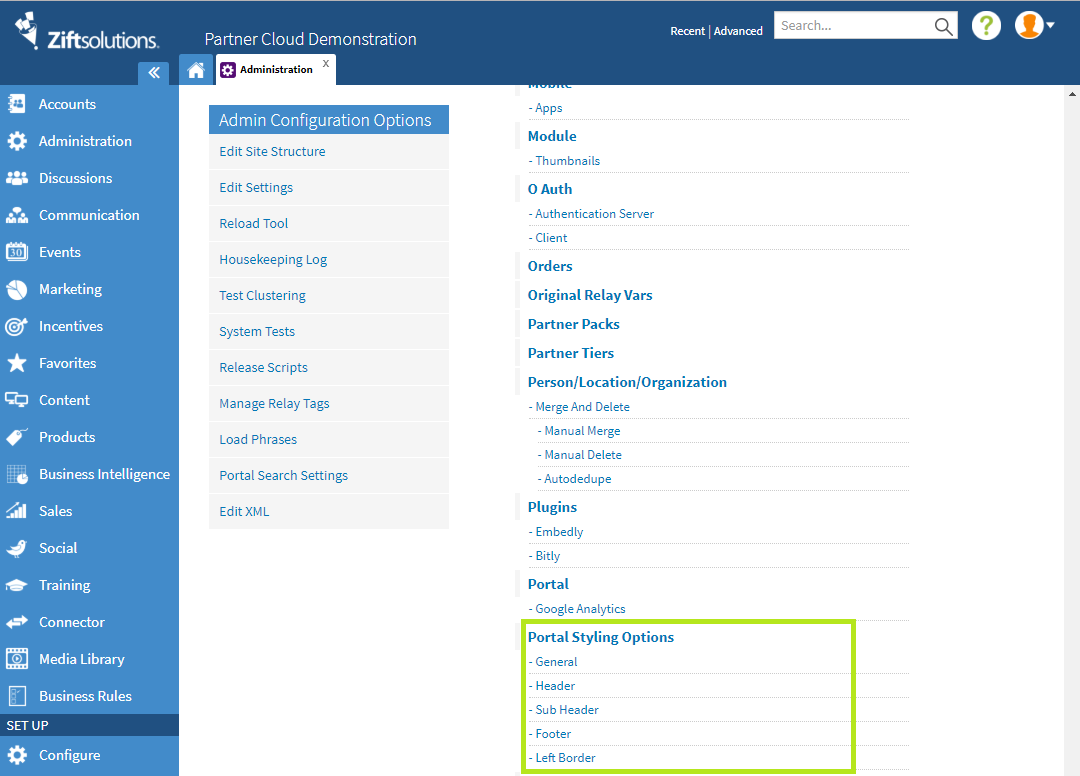
Guide Partners to Your Best Content
Helping partners easily find and use your best content is a vital part of the partner experience. Now you can draw their attention to new content, and link through to the pages of your choice. RELAY_GRID_LINKS offer on-screen set up so you can see your pages taking shape as you go. The image links are displayed in a grid layout that’s fully responsive for mobile users. Simply choose your layout, add your images and link each to the page of your choice.
Display PRM Records of Your Choice
Zift PRM provides a rich central store of information about all aspects of your partners’ relationship with your program. With RELAY_ENTITYLIST, you can list records on portal pages for your partners to view and select the layout and display columns with a Relaytag that is intuitive to set up. This Relaytag can be used with all available data, including custom entities and is fully configurable within the Portal Content Management System.
Upload multiple attachments within Data Entry Screens
Where you’re building new data entry screens with the Business Rules Engine, we’ve added a valuable new feature: the ability to add attachments via a simple drag and drop widget. Once uploaded, your files will appear in a Related Files list within the screen, where it’s easy to view, describe, replace or delete them.
Bulk Uploads to Media Library
This much-requested feature enables content editors to upload a group of files to the Media Library as a batch. It’s simple to use, and very fast. First: Add the Metadata for the batch of files, identifying their Resource Type, Group, Language, User Groups and any Keywords required. Then, drag and drop the required files into the panel. hey will quickly load and appear individually in the Media Library with the correct Metadata associated.
Auto-approved Partners with Business Email
A popular option within the registration process is the automatic approval of new partner contacts based on their business email address. Zift PRM can derive valid email domains for each partner automatically based on the emails previously approved and add them to the Authorized Domain List. This list can be edited manually if required. This change simplifies the setup process for automated approvals based on email.
Opportunity Management - Automate Subscription Renewals
Zift PRM now offers a complete Opportunity Management subscription renewals and other recurring sales. The process flow is fully integrated with Salesforce.com, drawing in all the relevant sales records (Assets) to create new Opportunities that are assigned to the original selling partner for follow up.
Product and pricing details are automatically added, and a notification sent to the primary contact, giving them all the information they need to progress the opportunity to close via the partner portal. Both partners and Account Managers are provided with Renewal Listings so they can review progress and update the status of Renewal Opportunities as they progress.
Connect Directly to Remote Applications, using Webhooks
Your Partner Portal acts as the entrance lobby to your entire organization for the partner community. Partners don’t want to log into multiple applications to perform their business functions: They want seamless and smooth connections between your applications and the systems they already use every day.
You can rely on your Zift Solutions Partner Portal to deliver this seamless integration, and we continue to add standard features that make application integration easier to set up, use and monitor. In this release, we have added the ability to connect third-party applications to Zift PRM via webhooks. This is particularly useful when creating new Partner or Person records. Suppose you want to add new Partner contacts automatically to a second application, that is connected to Zift PRM via the API. Webhooks enable this process to be triggered via workflow, for every new contact.
Comments
0 comments
Please sign in to leave a comment.