
Overview
This tool provides session based email redirection.
Before You Begin
Log into PRM Admin with adminTask Level 1 rights or greater.
How to use Email Redirection
- Navigate to Administration > Email Redirection.
- If required, make changes to the fields.
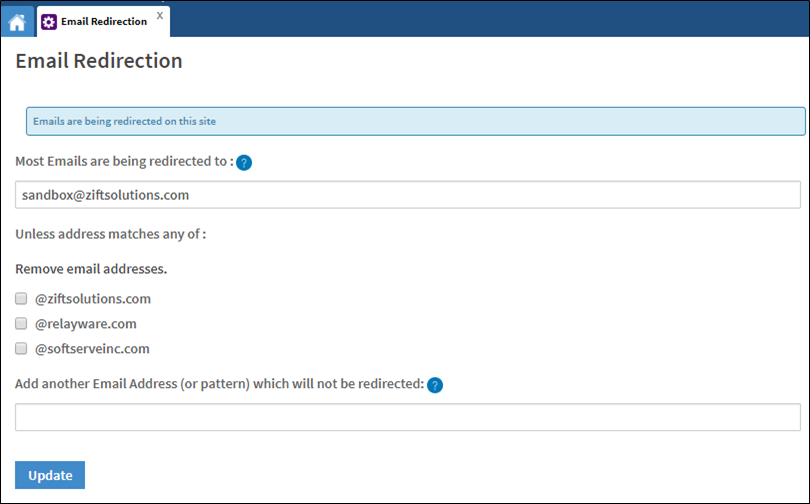
Parameter Description Most Emails are being redirected to Enter an alternative email address to where all emails created in your session will be sent to. Unless address matches any of If an address matches one of the options displayed in the list, the email will not be redirected. Remove email addresses Select the check-box next to the email you want to remove. The screen updates immediately and the option is removed from the list.
To restore the option you removed, select the Restore to Default check-box. This check-box only appears after an option is removed from the list.
Add another Email Address (or pattern) which will not be redirected Enter an email address or domain to add to the list of addresses that are not redirected. - Click Update.
Comments
0 comments
Please sign in to leave a comment.