
Overview
Use Filtering and Following to keep up with articles and tickets. When Following an article or ticket you are automatically updated when there is a change.
Contents
The following concepts are explained in this article:
Filtering Tickets
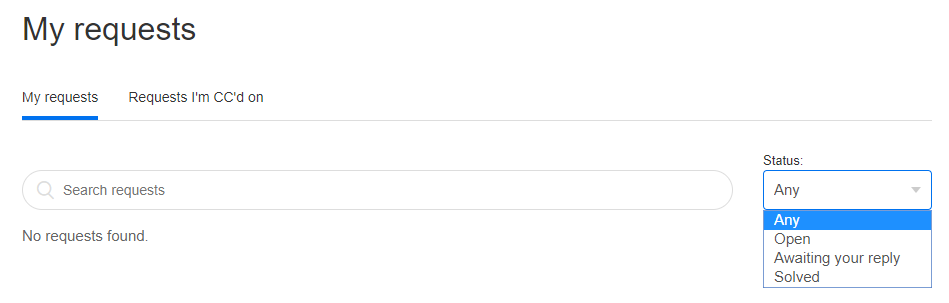
Use the Status drop down menu to search for tickets with the following status:
- Any
- Open
- Awaiting your reply
- Solved
Following Tickets
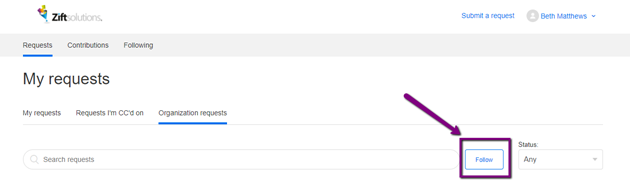
Follow Organizational Requests
Click Follow to receive updates on all tickets in your organization.
Follow Academy Sections or Articles
Following a Section
Our Academy provides the ability to watch sections so that you are alerted to any article changes within a section.
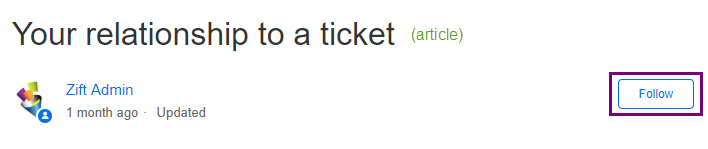
Follow an Article
Our Academy provides the ability to watch individual articles too!
What Am I Following?
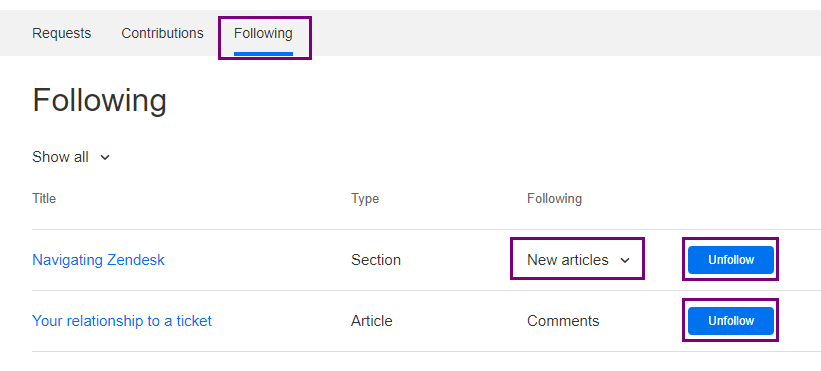
Not sure which articles you are following? Academy tracks your Follow subscriptions so that you can easily unfollow at any time. Also, you have the ability to change your Section subscription settings if the section is generating too many notices.
How to Follow an Article
- Sign into Academy.
- Select My Activities.
- Select Following.
Comments
0 comments
Article is closed for comments.