
Viewing Case Details
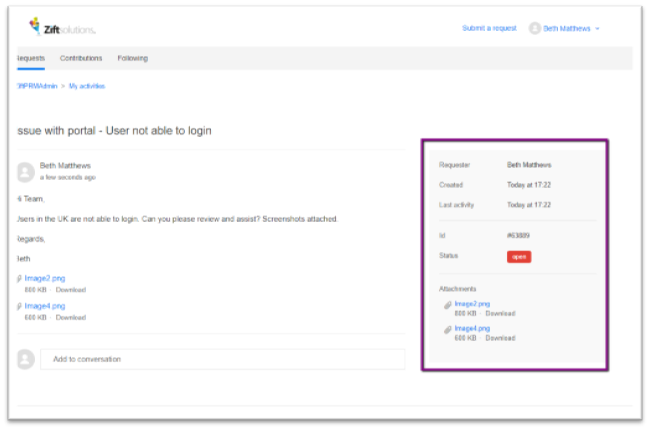
- Click on the case to view its details.
- The details view includes the case Subject, all public replies, and any attachments to the ticket. The gray box on the right provides additional details including the following:
- Requester: User that raised the case
- Created: Date the ticket was created
- Last Activity: Date of last comment on the case
- ID: Ticket #
- Status: new, Open, Awaiting Your Reply, On-Hold, Solved or Closed
- Attachments: A list of all attachments to the ticket – click on the attachment to expand it
Adding a comment
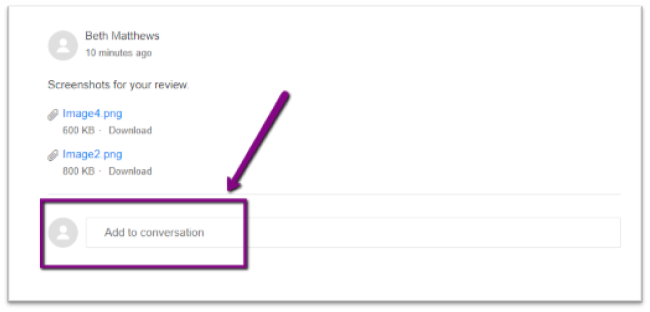
- Click in the Add to conversation box to reply to the ticket.
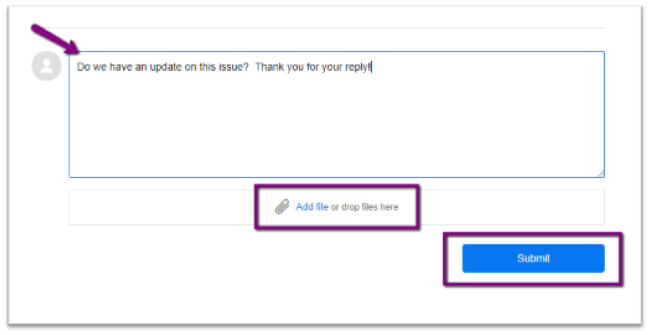
- Type your message in the comment box and add attachments by clicking Add File or dropping the file into the box.
- Click Submit to save your comment.
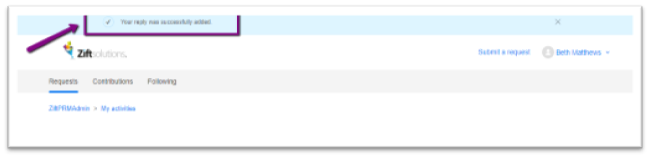
- A message will appear at the top of the screen indicating that the reply was successfully added.
Reviewing Comment History
New comments will be added to the bottom of the page indicating who made the comment and when the comment was made.
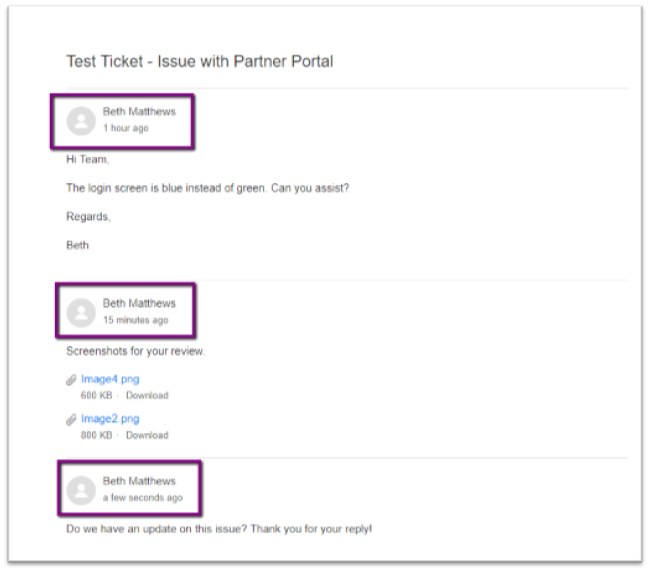
Comments
0 comments
Please sign in to leave a comment.