
Overview
This tool provided by Zift provides a simple way to add new file categories and to manage and edit existing file categories.
Before You Begin
Login to PRM Admin with adminTask Level 1 rights or greater.
How to Add a New File Category
- Navigate to Administration > Admin Tools.
- Click the Related File Category button.
- Ensure that the Create a new Category option is selected in the second list.
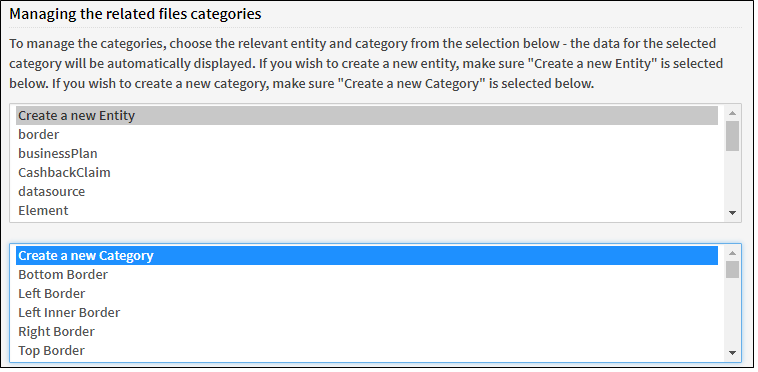
- Enter the required information as demonstrated below.
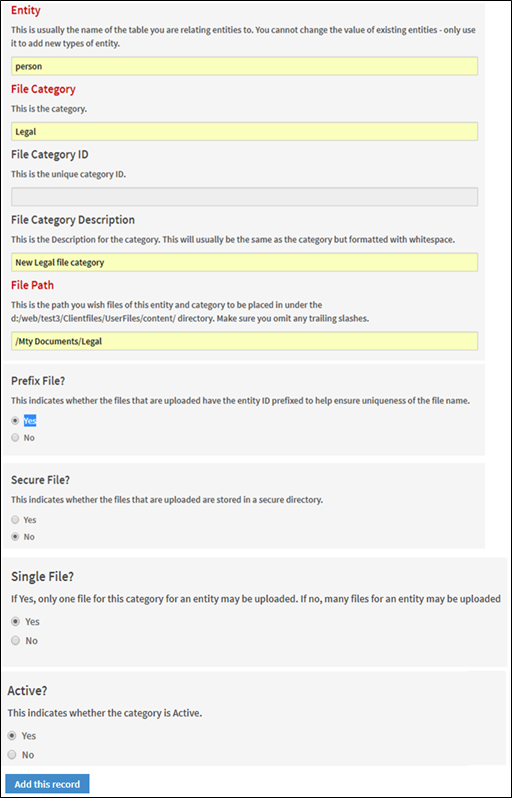
- Click Add this record. The File Category ID is generated when the record is saved.
How to Edit a File Category
- Ensure that the category you want to edit is selected in the second list.

- The category's currently saved information will be displayed.
- Make the necessary changes to the category.
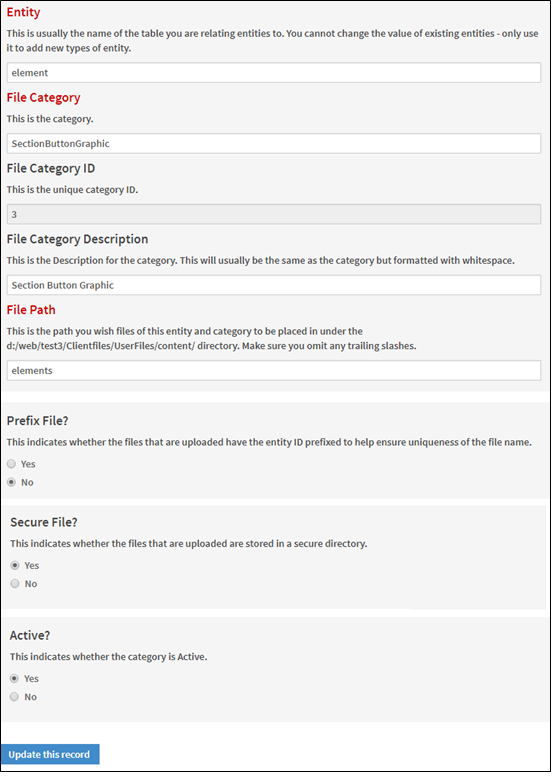
- Click Update this record.
Comments
0 comments
Please sign in to leave a comment.