
Overview
You can export a co-branding template to a PDF, web template or image (depending on which options were enabled for the template). A co-branding template can also be emailed directly from the Partner Portal. The email is sent from the address configured for the Partner Portal.
Before You Begin
Log into the Partner Portal.
Using the Customized Co-Branding Templates
- Navigate to the co-branded template location. This varies depending on the Zift PRM implementation.
- Click Customized Templates.
- Click the Open button to view or modify the template.
- Click Export Template.
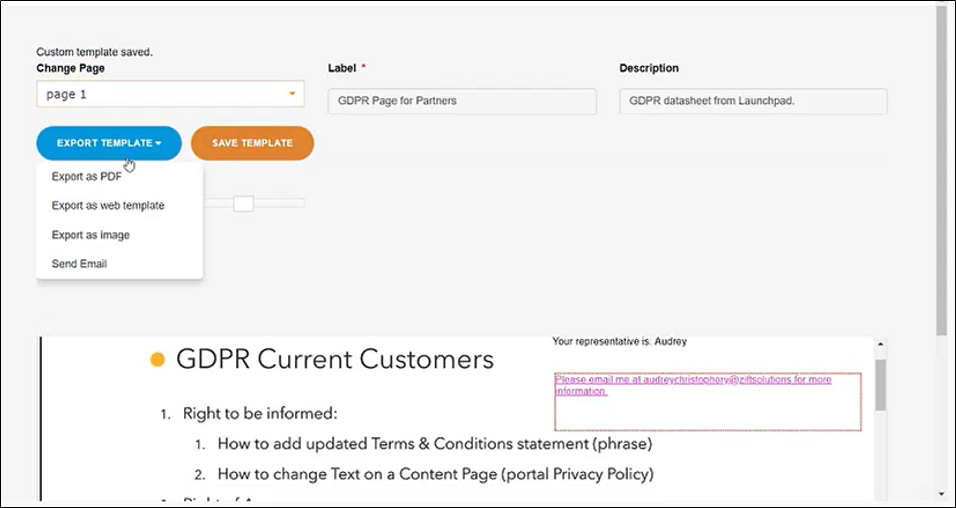
- [Optional] To send the template as an email:
a. Click Send Email.
b. Fill in the form. The To and Subject fields are mandatory. The attachment field is pre-populated and cannot be modified.
c. Click Send. - [Optional] To export a PDF, web template or image, select the required option.
Comments
0 comments
Please sign in to leave a comment.