
Overview
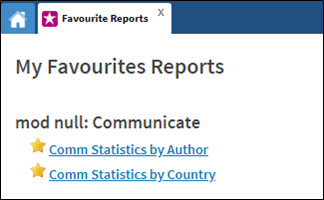
The Favorite Reports section displays every report that you (as the logged in user) have selected as a Favorite. The procedure below explains how to add a report to the Favorites section.
Before You Begin
Log into PRM Admin with reportTask Level 1 rights or greater.
How to Mark a Report as Favorite
- Navigate to the Report sub menu where the Report you want to mark as a favorite is displayed.
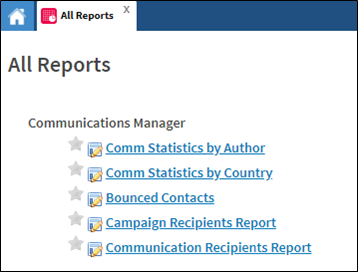
- Click the star next to the name of the report to add. This is a toggle function.
If the star is yellow, it will be included in your Favorites. If the star is gray, it will not be included.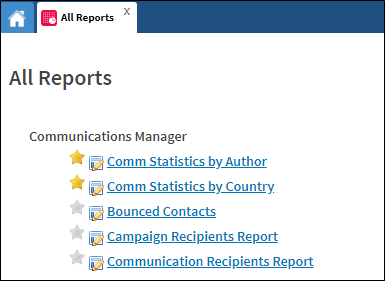
- The selected reports will be listed when you next navigate to Favorites > Favorite Reports.
Comments
0 comments
Please sign in to leave a comment.