
Overview
The Portal menu structure reflects the structure of the Site Tree in the PRM Admin Content Manager. Each visible page is displayed on the Portal according to its position and visibility settings defined in the Content Manager.
To be visible in the Portal, a page and all the pages it descends from in the Sitemap must be visible to the specific user viewing the Portal. If a page is in the top level of the folder structure, and the user has rights to view the page, then it will appear as an item in the Portal menu.
To remove a page from the Portal menu for all users, you simply modify the page status to anything other than Show on Live Site. This will hide it, and any child pages, from all Portal users.
Before You Begin
Log in to Zift PRM Admin with elementTask Level 2 rights or higher.
How to Remove a Selection from a List
- From Zift PRM Admin, navigate to Portal and CMS > Content Manager.
- Search for the page or scroll down to locate it in the tree view.
- Click on the page to access the page information.
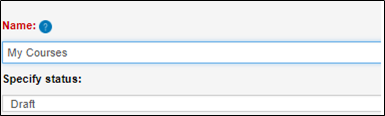
- Change the Specify status field to Draft - this will remove the selection from the drop-down list as the page will not be displayed.
Comments
0 comments
Please sign in to leave a comment.