
Overview
Primary Contacts are users who are designated to represent their Organization to your Channel Program. These are users who may establish or terminate a relationship, or who you might contact if there were issues that needed to be addressed.
Often, the Primary Contact will also be the person who registered the Organization with your Channel Program.
Each Organization and Location requires a Primary Contact. There can be more than one. The procedure below explains how to designate a user as a Primary Contact.
Before You Begin
Log into PRM Admin.
How to Setup a Primary Contact
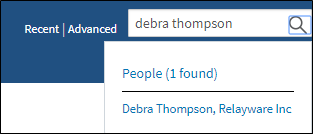
- Search for the user you wish to setup as the Primary Contact.
- From the display, select the user.
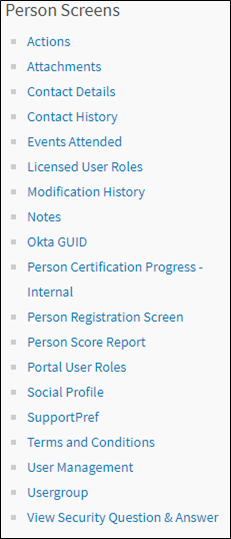
- In the Contact Details, click More.

- In the Person Screens list, select User Management.
- Select the Primary Contact option.
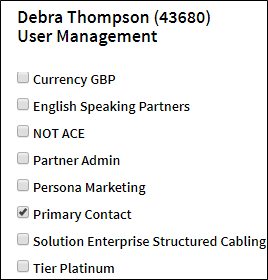
- Click Save.
Comments
0 comments
Please sign in to leave a comment.