
The Accounts menu provides access to tools for managing Partner data. This includes adding new Partners, editing and deleting existing ones.
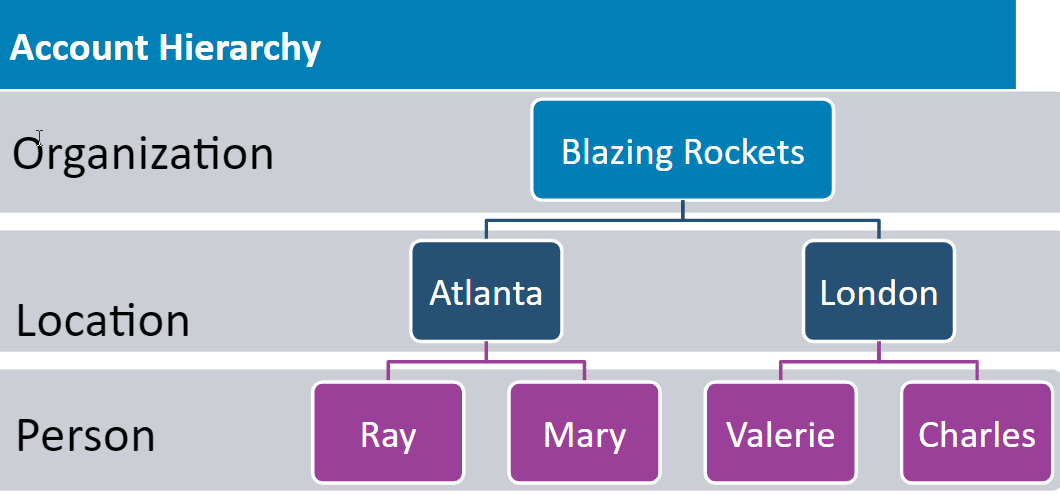
Each partner in our system is organized into Organization, Location, and Person. In the example below you see that our partner Blazing Rockets has two locations with two employees at each location. If you make a change at the top level, everything below will also be deleted. Also, if you delete the Location, the persons attached to that location will be deleted. Keep in mind this structure when making changes to the system.
The Accounts menu also provides access to the Partner Manager Dashboard which provides a series of drill-down reports summarizing Partner performance.
Comments
0 comments
Please sign in to leave a comment.