
Overview
Zift PRM has automatic controls to prevent the creation of duplicate records. However, in some cases, there may be two records that look different but reference the same Person, Organization, or Location. For example, a user may exist in the system with two different last names or a company may consolidate locations into a single one.
You can only merge two records at a time.
Before You Begin
This procedure assumes that you have already run a search and opened the 3-pane view and identified duplicate records.
How to merge duplicate person records manually
- Click the selection box next to the Person records to merge.
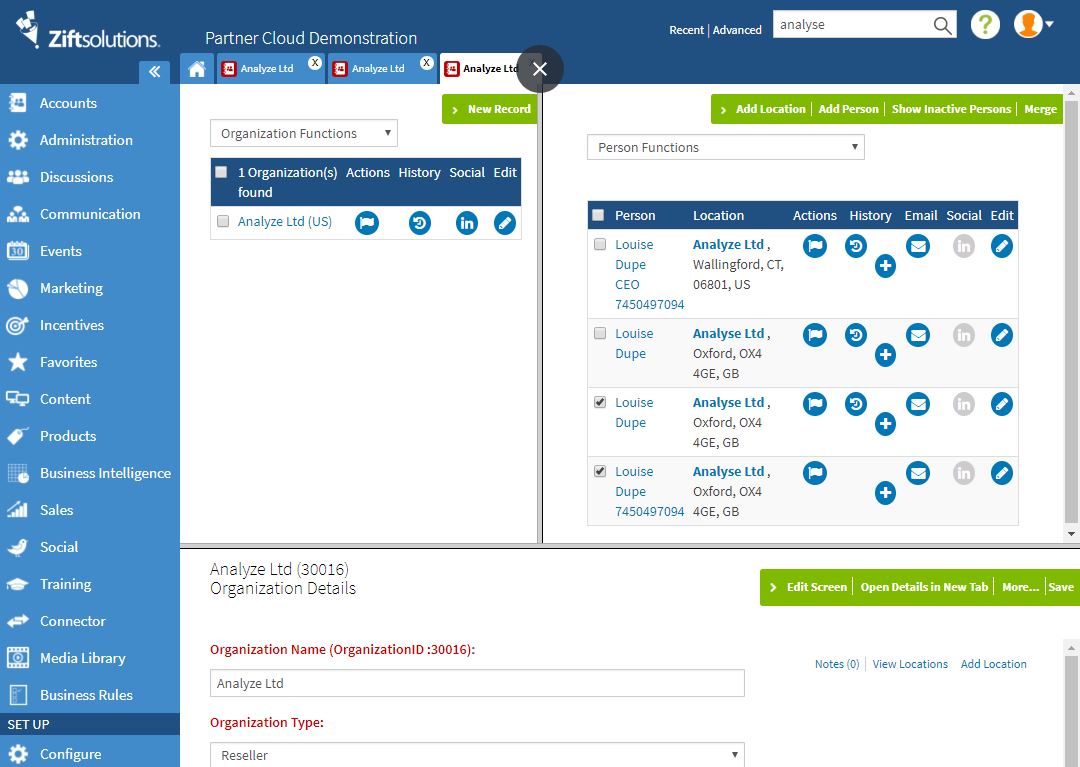
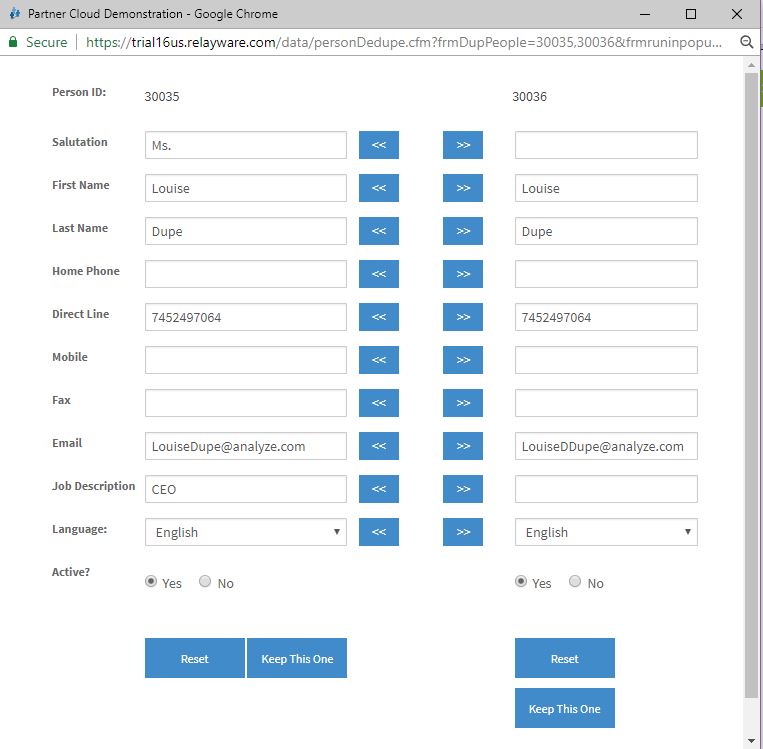
- In the popup window, use the << and >> buttons to copy values from one Person record to the other. You can also manually modify any values by typing new values directly into the text fields. You can use the reset button to revert to the initial data if needed.
Comments
0 comments
Please sign in to leave a comment.