
Overview
After a selection list is created, the users within the list still need to opt in to receive email communications.
Note: Partners must give permission prior to these emails being sent to receive them. Please consult your company GDPR guidelines before executing this task.
Before You Begin
- Log into PRM Admin with CommTask Level 1 rights or greater and selectTask Level 1 rights or greater.
- Be sure you have the Partner's permission to take this step. Partners must give permission to receive these marketing emails.
- Ensure the selection list has been created correctly.
How to Opt In For Email Communications
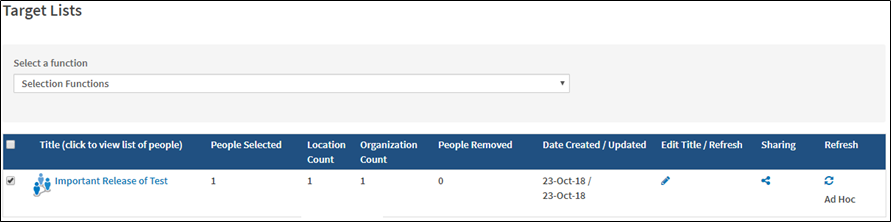
- Navigate to Communication > Target Lists.
- Click on the Title of the list to view the people associated with the selection.
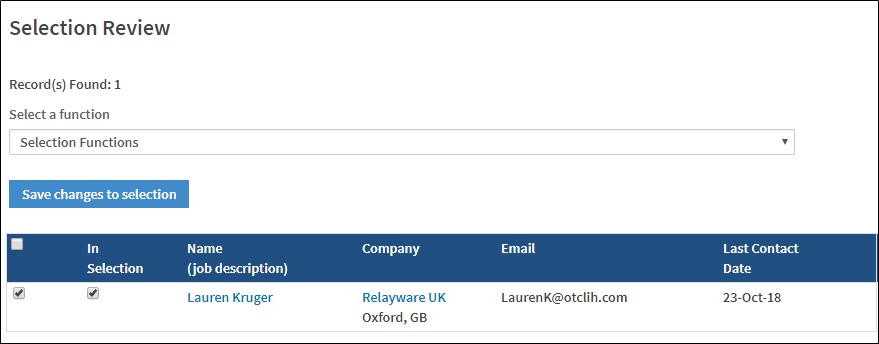
- Select the checkbox to the right side of the person's name.
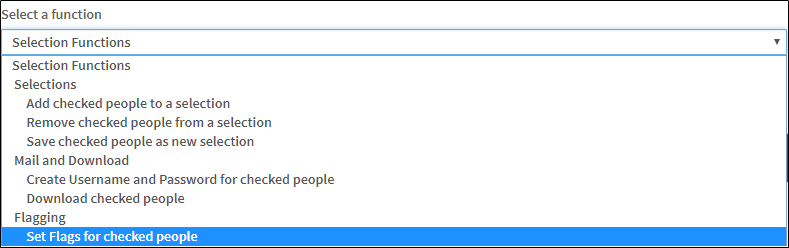
- Select Set Flags for checked people from the Selection Functions drop-down list.
- The Person's Profile Attributes opens in a new window.
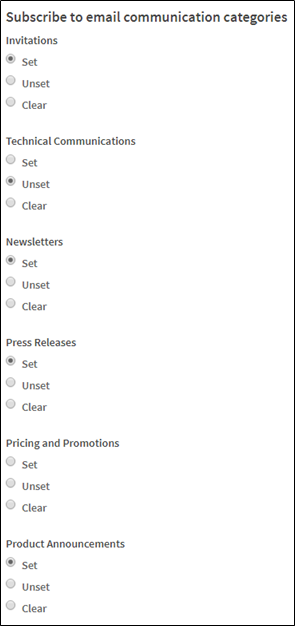
- Scroll down to the Subscribe to email communication categories section.
- Select the categories you want to receive email communication from by selecting the Set option. To unsubscribe from a category, select Unset.
- Scroll to the top of the page and click Save.
Comments
0 comments
Please sign in to leave a comment.