
Overview
Zift PRM allows you to schedule the sending of an Email Communication at a pre-determined time. An external selection list is used in this instance. An external selection list includes company types like Resellers – which are external to your organization.
Before You Begin
Log into PRM Admin with CommTask Level 1 rights or greater.
How to Schedule Email Communications
- Navigate to Communication > Email Marketing.
- Select New Communication in the menu bar.

- Complete the steps required to create a new email communication.
- On the Selections tab, select an external list from the Assign Selections drop-down list.
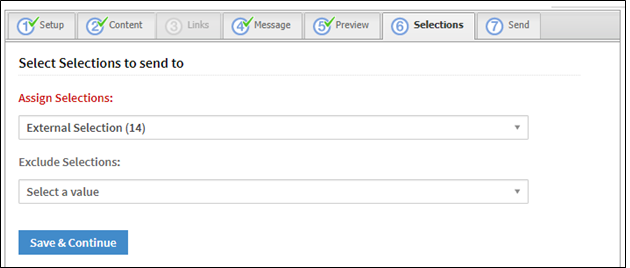
- Click Save & Continue.
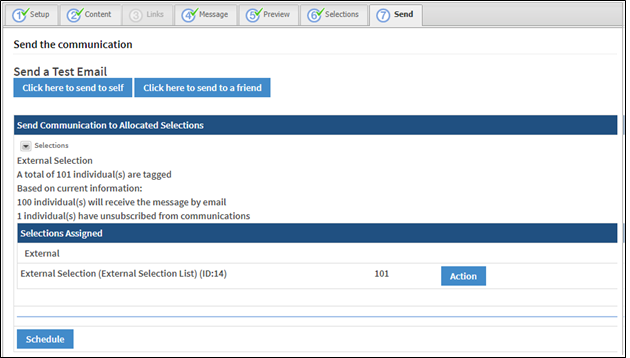
- On the Send tab, click Schedule.
- Use the calendar control to select the date when the communication will be sent. Use the text box to select the time.
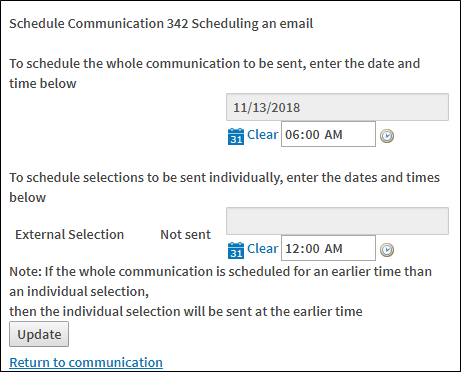
- Click Update.

- The email communication is scheduled.
- To view scheduled communications, select Scheduled Communications from the menu bar.

- Any scheduled communications are displayed.
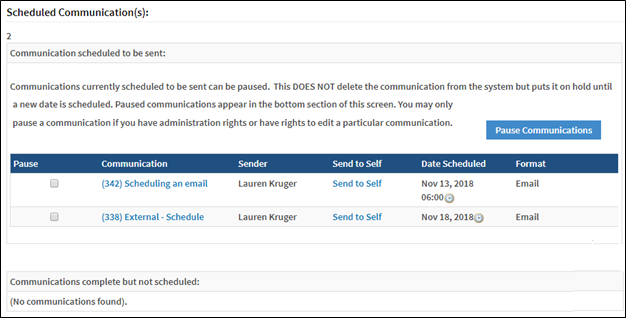
- The sending of the communication can be paused if any issues arise such as a change to the content.
Comments
0 comments
Please sign in to leave a comment.