
Overview
After generating a SAML certificate, the next task in designating Zift PRM as the service provider is to produce an XML file.
This task explains how to generate the XML metadata file that the identity provider needs to ensure the correct information is included in assertions sent to Relayware.
Before You Begin
Log into PRM Admin with ssoTask Level 3 rights.
Best Practice for Relaytags
While you can use more than one Relaytag on a single page, we recommend that you only do so if the Relaytags are querying different data. Interference and unexpected behavior may result if two Relaytags on a single page attempt to access the same data.
How to Generate Service Provider Metadata
- Navigate to Administration > Manage SAML Identity Providers.
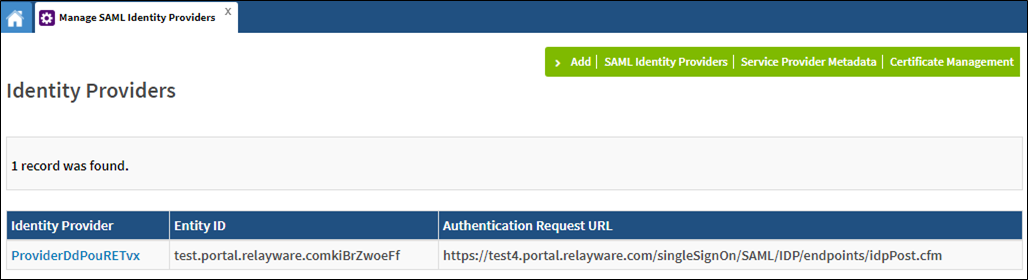
- Click Service Provider Metadata in the menu bar.
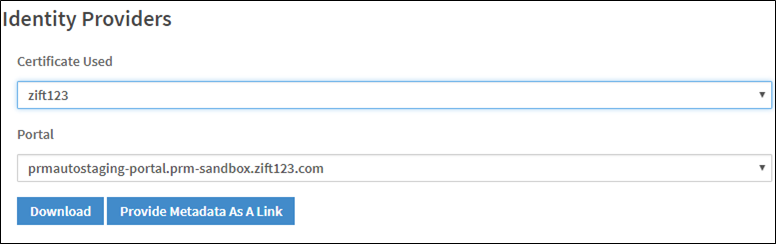
- Select a Certificate and Portal to generate metadata for.
- Click Download to download the XML file or click Provide Metadata As A Link to display the URL.
Comments
0 comments
Please sign in to leave a comment.