
Overview
This task is the last step in setting up Zift PRM as a SAML Identity Provider. The task explains how to configure SAML Service Providers.
Before You Begin
Log into PRM Admin with ssoTask Level 3 rights.
Best Practice for Relaytags
While you can use more than one Relaytag on a single page, we recommend that you only do so if the Relaytags are querying different data. Interference and unexpected behavior may result if two Relaytags on a single page attempt to access the same data.
How to Add a SAML Identity Provider
- Navigate to Administration > Manage SAML Identity Providers.
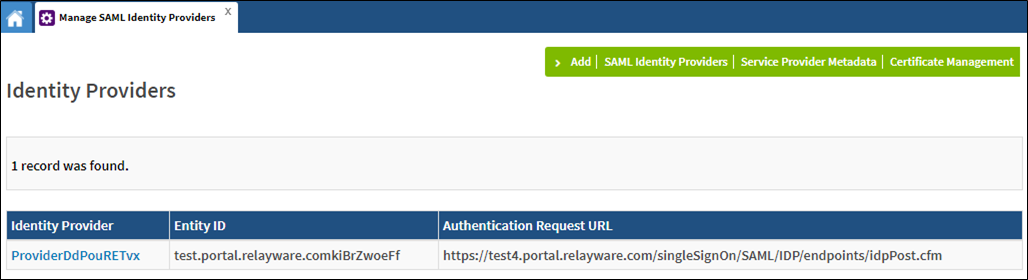
- Click Add in the menu bar.
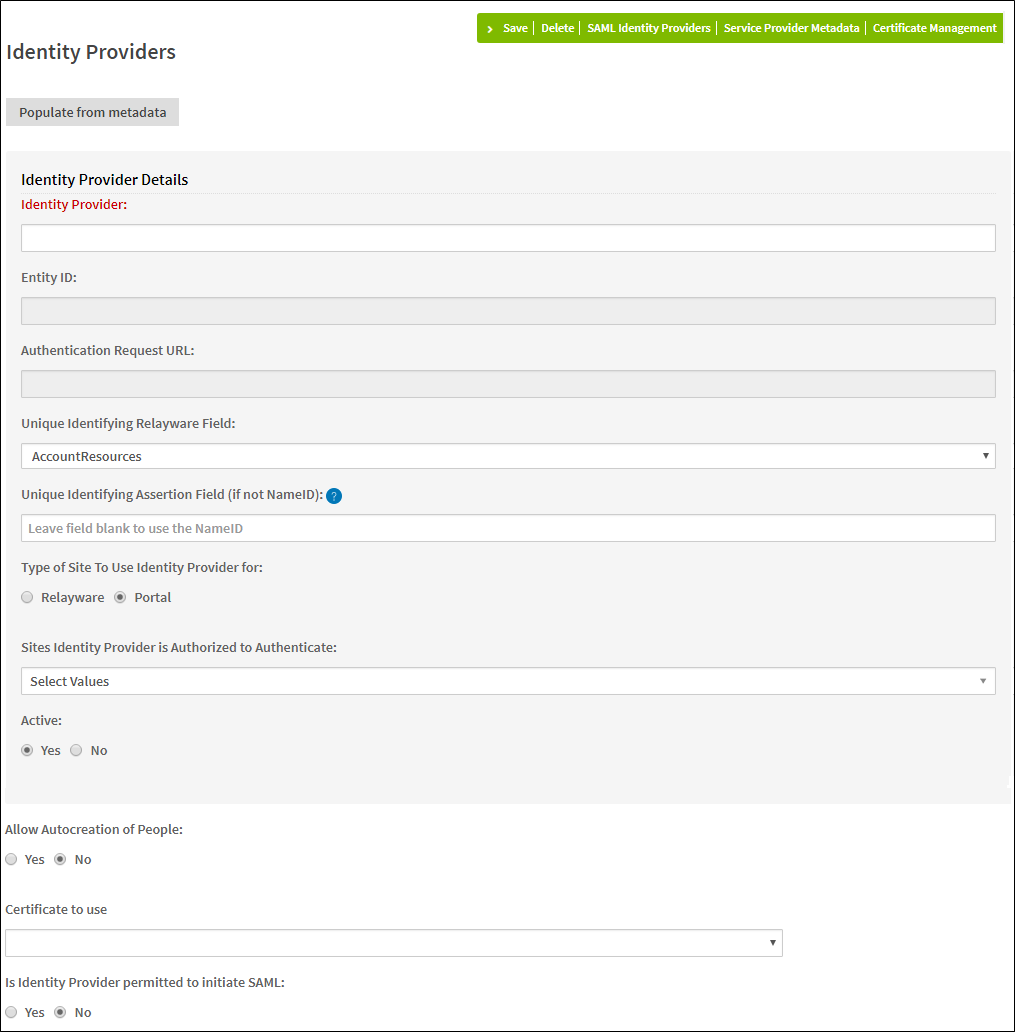
- Click Populate from metadata.
- Navigate to the location of the XML metadata from the service provider. Click Open.
- [Non-standard SAML configuration] If the NameID is not used in the assertion as the unique identifier, you can specify a different field in the Unique Identifying Assertion Field.
- [Optional] Allow Autocreation of People: If Yes is selected, additional fields are displayed:
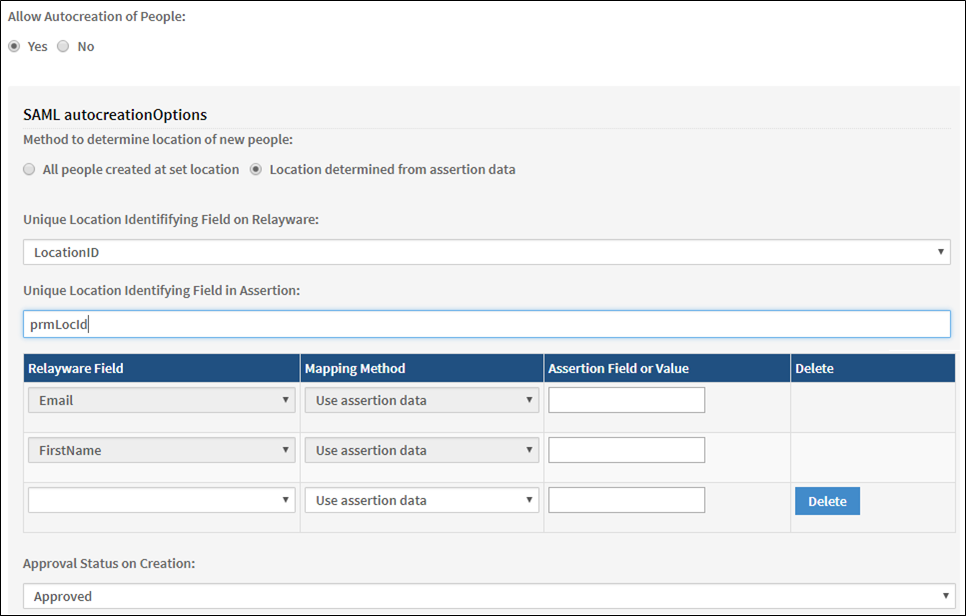
- Select the required values.
- Click Save.
Comments
0 comments
Please sign in to leave a comment.