
Overview
The procedure below demonstrates one of the processes to create an Administrative User.
Before You Begin
Log into the Zift PRM Admin site with userTask level 3 rights.
How to Add an Administrative User to an Organization
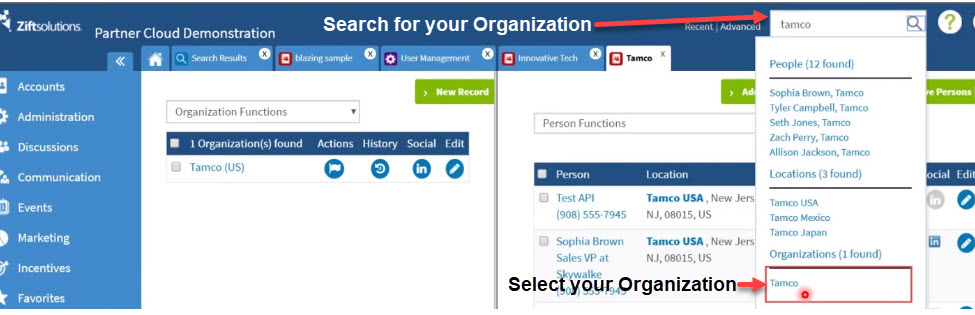
- Search for your Organization, select your Organization name in the search box.
- Select Add Person.

- In the the 3-panel view, add the country, person's details
- Save.
- Add info about their role, click Save.
- Click More to setup their rights.

- Select User Management.

- Update the Login Expires date, Country User rights, User Permission( RW Admin), User Groups, Visibility rights, and Language Editing.
- Save.
- Send the User Password.

Comments
0 comments
Please sign in to leave a comment.