
Overview
Target Lists, or Selections, are pre-configured user segments that correspond to specific criteria. For example, you might have a Target List for users in each vertical market that you serve. Once you have created a Target List, you can use it to change Profile Attribute values for all the users included in the list.
Remember: Although you can define a Target List based on Organization or Location Attributes, the actions that you perform based on the Target List will be applied to individual users, not the Organization or Location. For example, you could select all of the users employed by Org X and change their vertical market profile to catering but this would not change the industry attribute of the Organization.
You can nest target lists, restricting the candidates for inclusion to those that are or are not in an existing list. This is a powerful way of controlling the frequency and relevance of emails you send to users.
Caution: Actions performed through the Target List are immediate and cannot be easily rolled back.
Before You Begin
- Log into Zift PRM Admin with CommTask Level 1 rights or greater.
- This procedure assumes that you have previously Created a Target List.
How to Use Target Lists to Perform User Actions
- Navigate to Communications > Target Lists.
- Select the Target List of Users to Modify by ticking the checkbox in the left column.
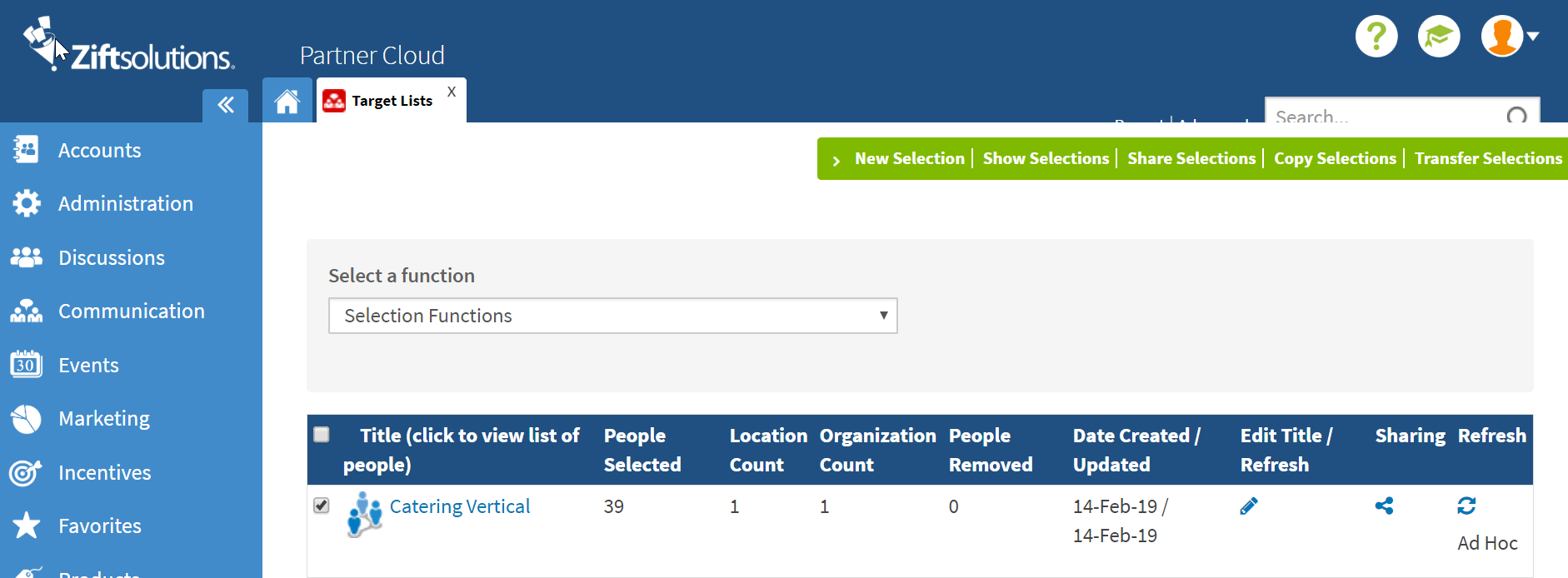
- Select the desired action from the function dropdown menu.
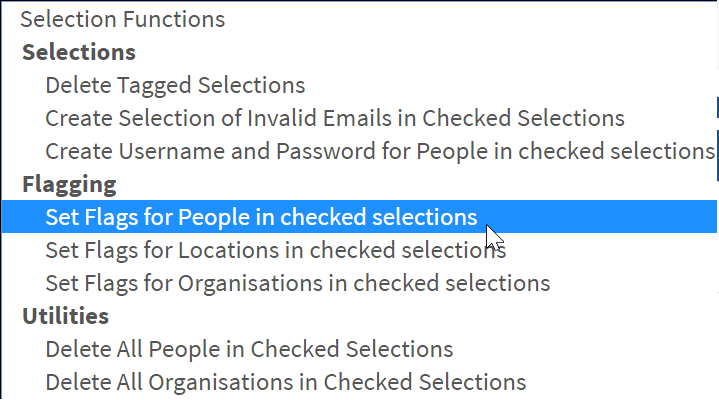
- Depending on the action selected, a pop-up window will display the options available. Select the desired change.
- Click Save.
Comments
0 comments
Please sign in to leave a comment.