
Overview
Staying in touch with people is key to developing a relationship with your partner community. In Zift PRM you can create Target Lists (or Selection Lists) to manage lists of people. This function can be accessed from two locations in Zift PRM: Accounts and Communications.
Target (or Selection) Lists are pre-defined collections of users. Target lists are used to create segments of your Users that you can then apply collective action to. For example, you can use Target Lists to apply a Profile Attribute (flag) or send a communication.
Target Lists also provide an efficient way to:
- Export data relating to the users in the selection
- Set User Flags using the selection
Note: A Target List is different from a User Group. User Groups are used to apply specific rights to groups of users and to facilitate management of user activity in the Zift PRM Admin and Partner Portal sites. Target Lists only collate users. They do not confer any rights.
Before You Begin
Log into PRM Admin with selectTask Level 1 rights or greater and downTask Level 1 rights or greater.
How to Create a Selection
- Navigate to Communication > Target Lists.
- Click New Selection.

- Use the Filter Criteria, Country/Country Groups and Organization Type drop-down lists to narrow down the users to include in the selection.
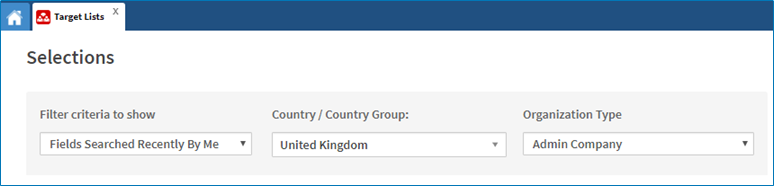
- Click Search.
- A summary of the search results is displayed.
- To save the selection, enter a Title and Description.
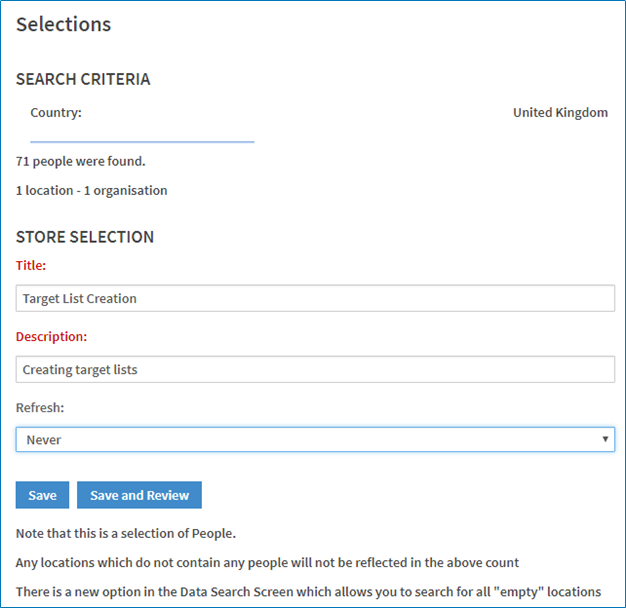
- Click Save and Review.
- In the Selection Review screen, a list of users who meet the search criteria are displayed.
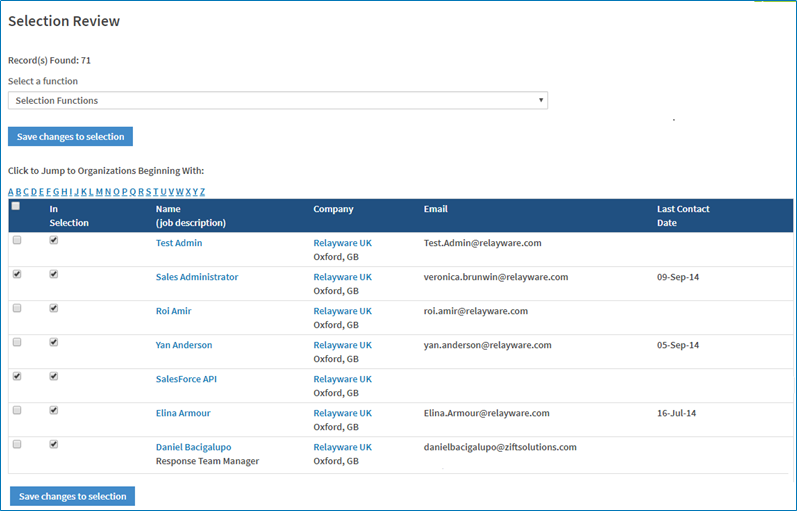
- [Optional] To remove users from the selection, select the checkbox to the left of the In Selection column and select Remove checked people from a selection from the Selection Functions drop-down list.
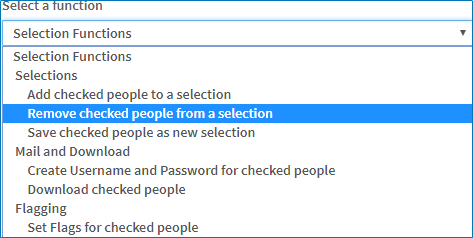
- A new window opens to confirm the removal of the selected users.
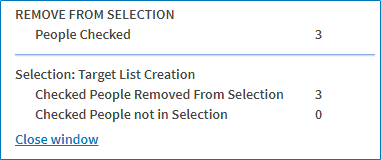
- Click Save changes to selection.
Comments
0 comments
Please sign in to leave a comment.