
Overview
Target Lists, or Selections, are pre-configured lists of users that correspond to specific criteria. Target Lists can be used by different parts of Zift PRM such as Events, to target specific sets of users.
You can layer target lists, restricting the candidates for inclusion to those that are or are not in an existing list. This is a powerful way of controlling the frequency and relevance of emails you send to users.
You can modify the Profile Attributes (or flags) of the Users in a Target List.
Before You Begin
Log into Zift PRM Admin with CommTask Level 1 rights or higher.
How to Set Users Flags Using a Selection
- Navigate to Communication > Target Lists.
- The available lists are displayed.
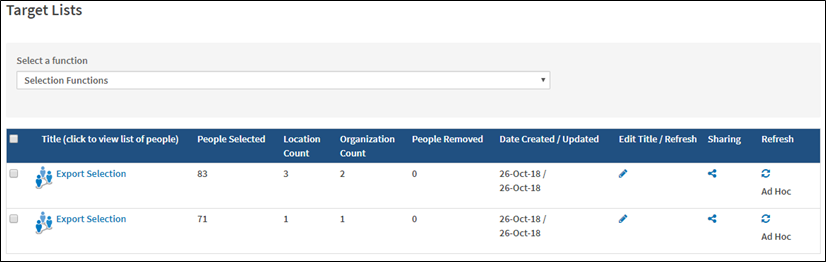
- Click the Title of the selection which contains the users you want to set flags for.
- Select the checkbox to the left of the In Selection column to select users.
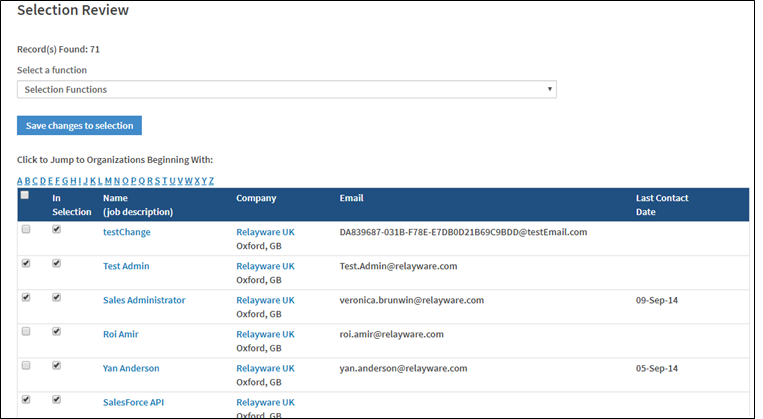
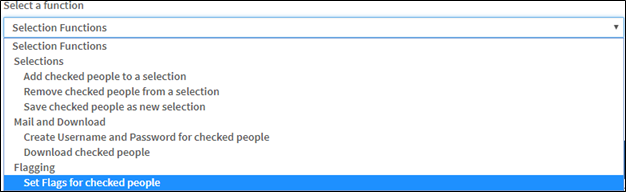
- Select Set Flags for checked people from the Selection Functions drop-down list.
- The Profile Attributes page opens in a new window - set the required flags for the selected users.
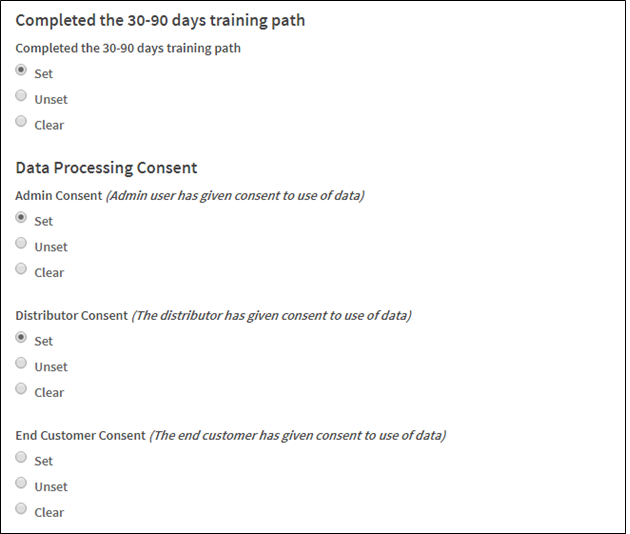
- Scroll to the top of the page and click Save.
- A list of the flags that were applied are displayed after being successfully saved.
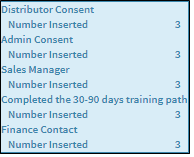
- Close the Profile Attribute window and click Save changes to selections.
Comments
0 comments
Please sign in to leave a comment.