
Overview
Zift PRM automatically manages the process of de-duplication of records when those records are identical.
However, if two records are similar but not identical on a key attribute, they will not be automatically combined. Instead, you will need to view the candidate records and decide whether or not to merge them.
This procedure explains how to view the records that Zift PRM has flagged as possible duplicates.
Before You Begin
Log into PRM Admin with adminTask Level 1 rights or greater.
How To Use Find Dupes
- Navigate to Administration > Data De-Duplication (Fuzzy Rules)
- Click Find Dupes.

- Select a Method from the Match Method drop-down list and select which Countries to include.
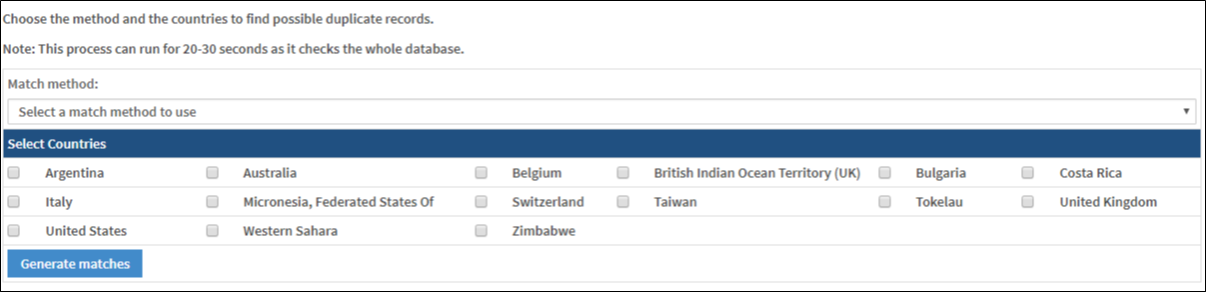
Parameter Description Select a match method to use The following options are available:
Organizations: Same Person email, different Organization
Organizations: Same URL, different Organization
Organizations: Same VAT number, different Organization
Persons: Same Organization and email, different First or Last Name
Persons: Same Organization and names, different Email address
Sites [Locations]: Same Organization, same Address1, different postcode
Sites [Locations]: Same Organization and post code, different Address1Select Countries Select which Countries to consider in the comparison - Click Generate matches.
Comments
0 comments
Please sign in to leave a comment.