
Overview
Catalogs are collections of offered Products that can be displayed on the Partner Portal. The catalog lists products and information about a set of Products that you want to offer to your Partners.
Zift PRM includes a number of Catalogs as standard, each supporting a different purpose. The Opportunity Catalog is the most commonly used, allowing Partners to view which Products are available for sale. Other Catalogs are available to support more complex business processes, such as your Incentives Program. In this case, Partners would register sales of Products listed in the Incentive Claim catalog. Once the orders have been processed, the Incentive Points are applied to the Partner Account. When they have accumulated enough points, Partners can exchange the points for Incentive Products.
Catalogs are associated with Price lists which specify the cost of each Product to the user. This allows you to set different prices for distributors and resellers or across geographic regions. Reusing Catalogs with different Price lists is an efficient way to manage your Product offering. The default catalog is set in the Product Settings screen.
Before You Begin
Log into PRM Admin with orderTask Level 2 rights and incentiveTask Level 2 rights.
How to Use Product Catalogs
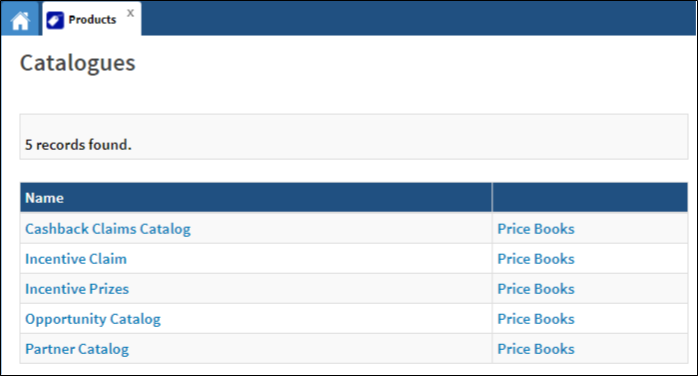
- Navigate to Products > Catalogs.
- Click the Catalog Name to view the catalog OR click on the Price Books link in the second column to view the associated Price Books.
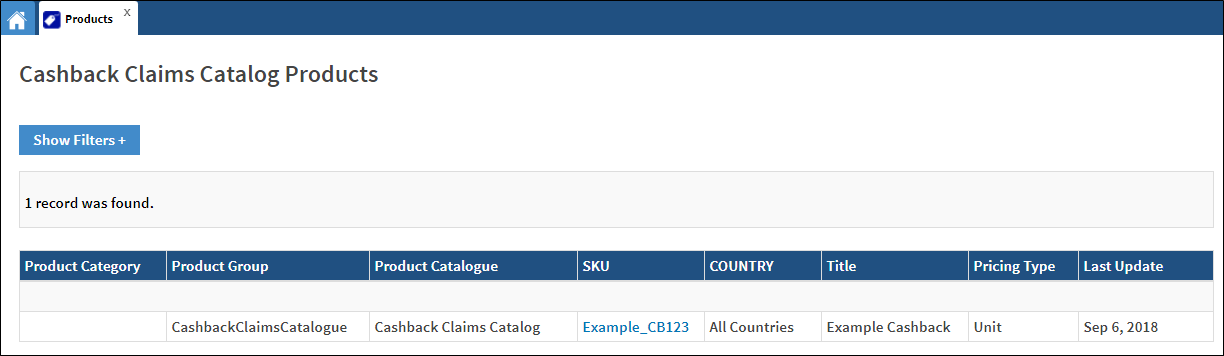
- Information relating to the selected catalog is displayed.
Comments
0 comments
Please sign in to leave a comment.