
Overview
Target Lists, or Selections, are pre-configured lists of users that correspond to specific criteria. Target Lists can be used by different parts of Zift PRM such as Events, to target specific sets of users.
You can layer target lists, restricting the candidates for inclusion to those that are or are not in an existing list. This is a powerful way of controlling the frequency and relevance of emails you send to users.
The data associated with the users in the list can be downloaded.
Before You Begin
Log into PRM Admin with CommTask Level 1 rights or greater.
How to Download User Information Using a Selection
- Navigate to Communication > Target Lists.
- The available lists displayed.
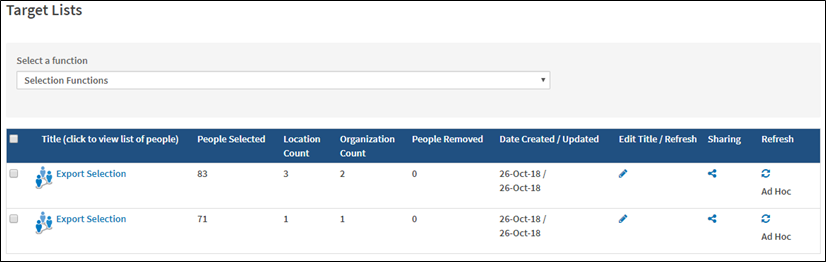
- Click the Title of the selection you want to download. It is best practice to click the Refresh icon in the right-most column of the table before using a Target List. This will force Zift PRM to re-evaluate every user in the database to ensure they are included or not according to their current Profile settings.
- Select the checkbox to the left of the In Selection column to select which users will be included in the download.
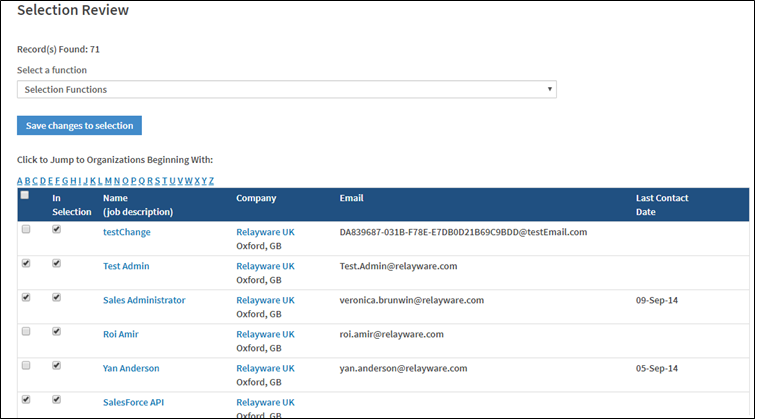
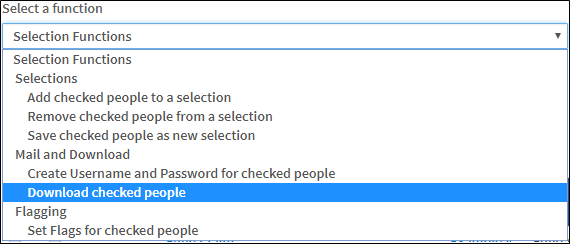
- Select Download checked people from the Selection Functions drop-down list.
- Enter an Audit Reference and Purpose of the export.
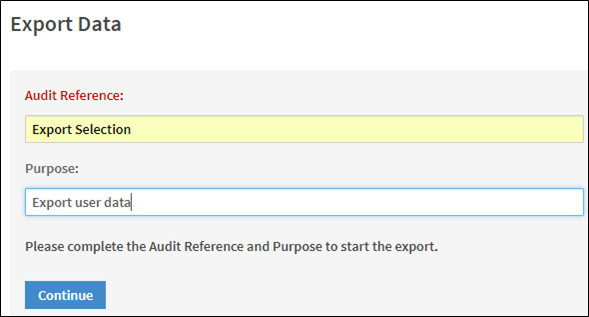
- Click Continue.
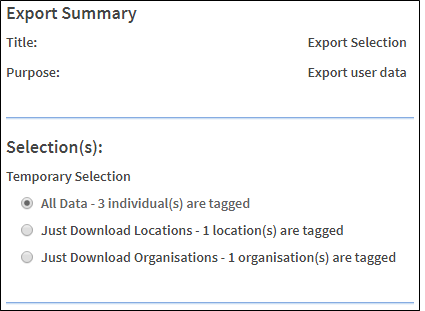
- Scroll down and click Do Export.
The user information is downloaded and saved as an Excel spreadsheet. Below is a sample of the data contained within the spreadsheet.

Comments
0 comments
Please sign in to leave a comment.