
Overview
User Groups are the most powerful tool Zift PRM offers to streamline managing your Channel Program and users. They allow you to manage user rights and restrictions collectively.
The procedure below describes the steps to create a new User Group. Best practice for User Groups is to manage membership through Profiles. This is described in Assign Profiles to Groups.
Before You Begin
Log into PRM Admin with adminTask Level 1 rights or greater and userTask Level 3 rights.
How to Create a New User Group
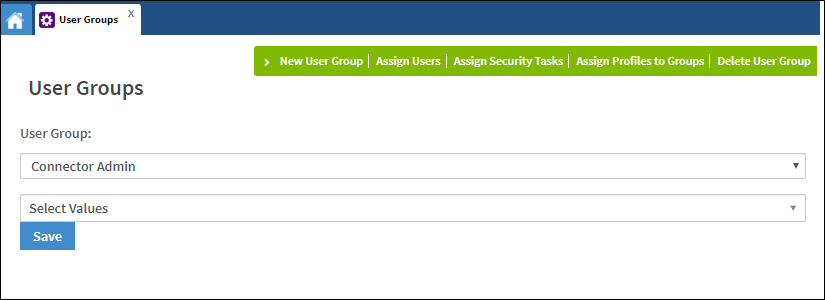
- Navigate to Administration > User Groups.
- Select New User Group from the menu bar.
- A new window will open. Enter a User Group Name and select a User Group Type from the drop-down list.
The User Group TextID is generated by the system.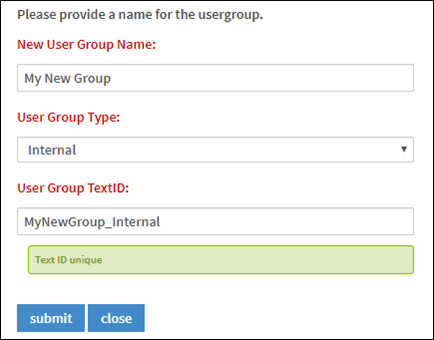
- Click submit to save.
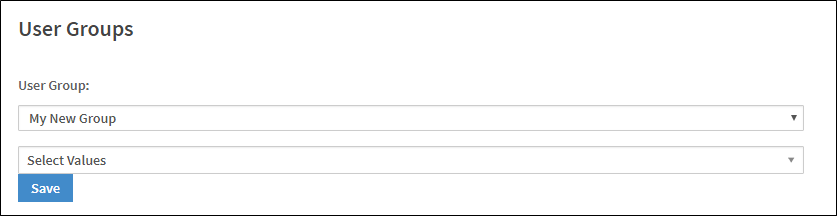
The new User Group is saved and displayed in the User Group drop-down list on the landing page.
Comments
0 comments
Please sign in to leave a comment.